
Fit4SILENCE1.1 - Google Play
You'll be able to see results in few seconds.
Publisher Description
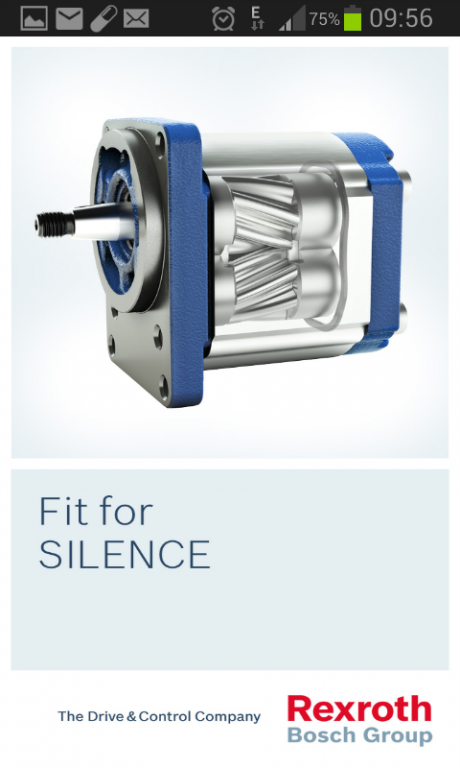
"Fit4SILENCE“ – The new Bosch Rexroth noise measuring app
Use your Android smartphone for quick, precise and easy noise measurements. After calibration, the accuracy comes close to that of a professional stand alone noise measuring device. (See below for a list of pre-calibrated smartphones.)
Additional advantages for Rexroth customers
Get your code to unlock extra functionality:
- Overall data recording for profiling the sound level in db over a time period. This could be used to check the sound level in different conditions (e.g external sound in a room when windows are closed or opened. Or check the noise inside a car at different gears). This data can be saved to a file for later analysis.
- Raw data recording for recording the sound as heard from the microphone. This sound is stored in .wav format hence captures every detail of the sound ( no compression). This recording can be saved for later playback or detailed analysis.
Further features
Learn more about the noise reducing technology of the innovative Rexroth gear pump SILENCE PLUS.
Availability
The ""Fit4SILENCE"" app is available in English language as a native app for Android (version 4.0 and higher). The noise measuring functions is pre-calibrated for highest possible accuracy for the following devices:
Galaxy S Duos, Galaxy S3, Galaxy S5, HTC One-X, Nexus S, Nexus 4, Nexus 5, Moto E, Moto G, Galaxy S2,
Samsung Note 2, Samsung Note 3, HTC Butterfly, Xperia L, LG Optimus 7"
About Fit4SILENCE
The company that develops Fit4SILENCE is Bosch Rexroth AG. The latest version released by its developer is 1.1.
To install Fit4SILENCE on your Android device, just click the green Continue To App button above to start the installation process. The app is listed on our website since 2015-07-24 and was downloaded 0 times. We have already checked if the download link is safe, however for your own protection we recommend that you scan the downloaded app with your antivirus. Your antivirus may detect the Fit4SILENCE as malware as malware if the download link to com.bosch.fit4silence is broken.
How to install Fit4SILENCE on your Android device:
- Click on the Continue To App button on our website. This will redirect you to Google Play.
- Once the Fit4SILENCE is shown in the Google Play listing of your Android device, you can start its download and installation. Tap on the Install button located below the search bar and to the right of the app icon.
- A pop-up window with the permissions required by Fit4SILENCE will be shown. Click on Accept to continue the process.
- Fit4SILENCE will be downloaded onto your device, displaying a progress. Once the download completes, the installation will start and you'll get a notification after the installation is finished.
Program Details
System requirements
Download information
Pricing
Version History
version 1.1
posted on 2015-07-24
Improvements in usability and bugfixes.
Disclaimer
Official Google Play Link
We do not host Fit4SILENCE on our servers. We did not scan it for viruses, adware, spyware or other type of malware. This app is hosted by Google and passed their terms and conditions to be listed there. We recommend caution when installing it.
The Google Play link for Fit4SILENCE is provided to you by apps112.com without any warranties, representations or guarantees of any kind, so access it at your own risk.
If you have questions regarding this particular app contact the publisher directly. For questions about the functionalities of apps112.com contact us.
